
In order to add a new financial transaction type, please follow the below steps:
User Menu -> System Preferences -> Finacial Setup -> Financial Transaction Type -> Add
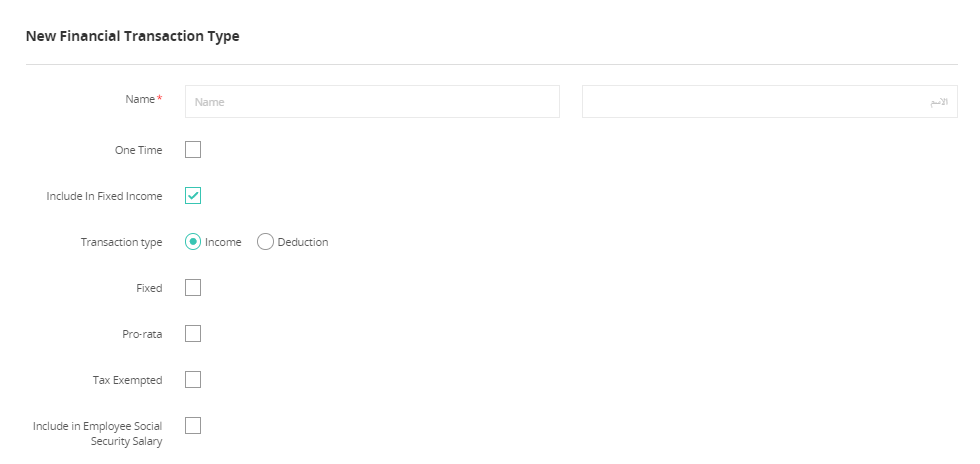
Financial Transaction Setup
Name | Definition |
One Time
| By checking this, the transaction will be only used when necessary – not recurring. |
Ability to request
| By checking this, you allow your employees to request this type of transaction. |
Attachments are mandatory
| By checking this, employees will be required to attach a file in order to be able to proceed with the request. |
Mandatory notes
| By checking this, employees will be required to add a note in order to be able to proceed with the request. |
Tax Exempted
| By checking this, the amount of this transaction type will be non-taxable |
Comments
0 comments
Please sign in to leave a comment.