Skip to main content
Social Security Monthly Subscriptions Report
How to Generate Social Security Monthly Subscriptions Reports
- Go to Reports, located on the left main menu.
- Then, click on “Social Security Monthly Subscriptions Report” under Social Security Reports.
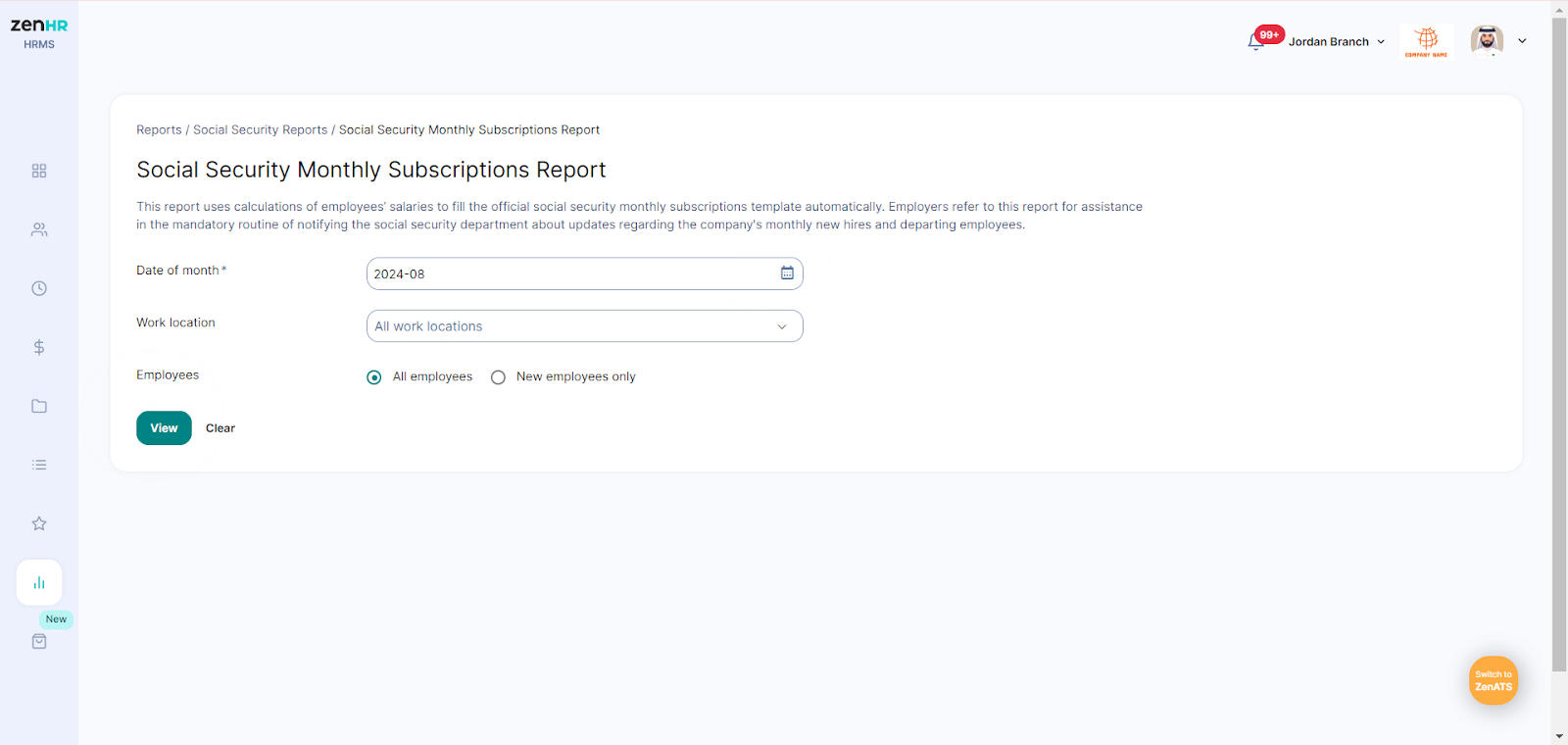
- Enter the year and month corresponding to the salary period.
- Choose a specific work location or leave the field blank to include all locations.
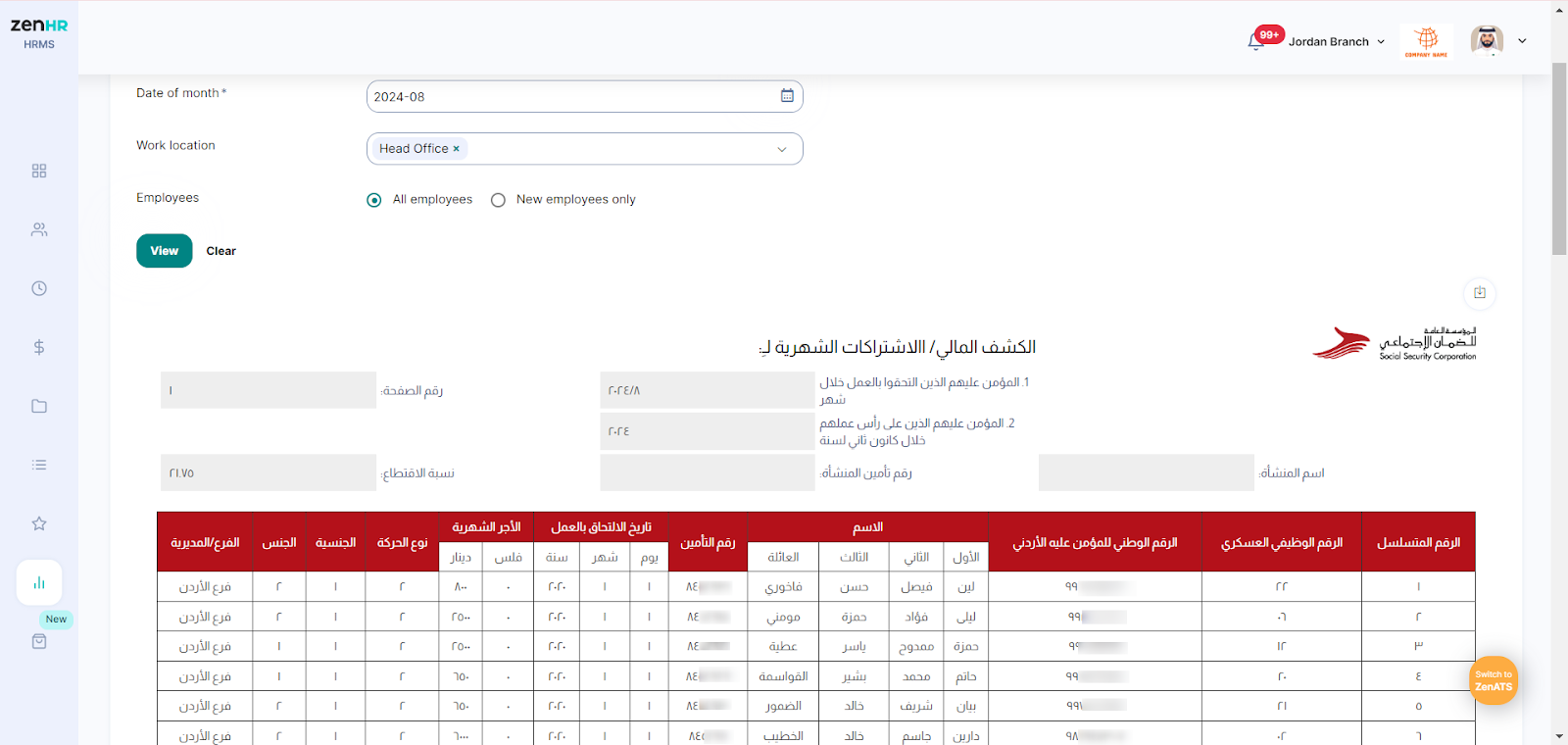
- Choose whether to include all employees or only new employees. Then, click on “View”.

Comments
0 comments
Please sign in to leave a comment.